


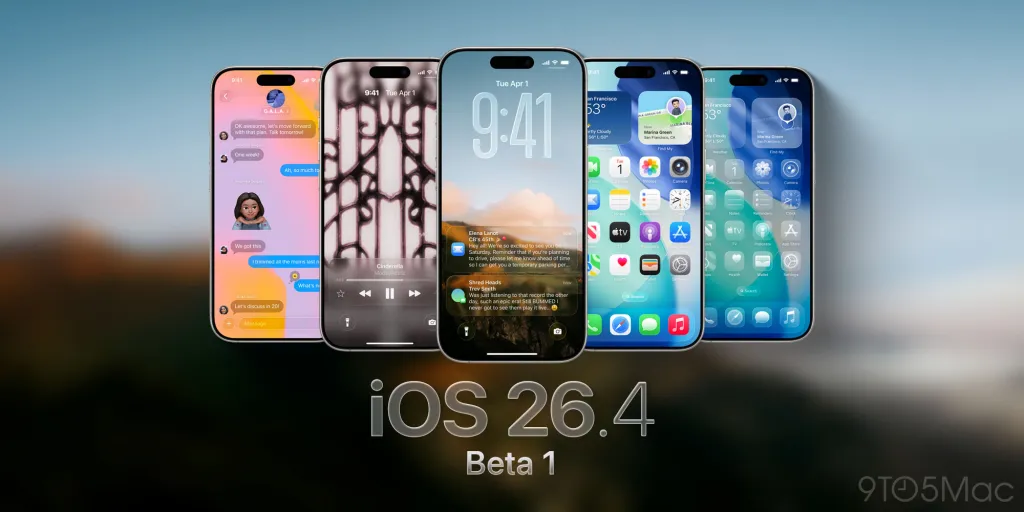
iOS 26.4.1 Update: Apple’s Latest Release Quietly Boosts Your iPhone Security
The iOS 26.4.1 update arrived from Apple on April 8, landing roughly two weeks after the company rolled out the much larger iOS 26.4 release. While the previous update came packed with exciting additions like fresh emoji and expanded video podcast support, this newest version takes a far more modest approach focused primarily on behind-the-scenes improvements.
According to Apple’s release notes, iOS 26.4.1 concentrates entirely on bug fixes. However, a deeper look at the company’s support documentation reveals something more interesting. The update will automatically activate Stolen Device Protection on certain iPhones where users haven’t already turned it on themselves.
How to Download iOS 26.4.1 Right Now
Getting the update onto your iPhone takes just a few minutes. Open the Settings app and tap General. From there, select Software Update, then tap Update Now and follow the prompts that appear on your screen. Make sure your iPhone is connected to Wi-Fi and has sufficient battery, or better yet, plug it in during the installation process.
What Apple Says About the Update
In the official release notes, Apple kept things characteristically brief, simply stating that iOS 26.4.1 provides bug fixes for your iPhone. The company didn’t elaborate on which specific bugs got squashed, leaving users to discover improvements through their daily use rather than detailed changelogs.
What’s notable is the apparent automatic activation of Stolen Device Protection on devices that didn’t have the feature enabled previously. This represents an interesting choice by Apple, essentially using a routine bug-fix update to expand security coverage across its user base.
Understanding Stolen Device Protection
For those unfamiliar with the feature, Stolen Device Protection adds an important security layer designed to activate when your iPhone moves away from familiar locations like your home or workplace. The system helps shield your accounts and personal information if your iPhone ever gets stolen, making it significantly harder for thieves to access sensitive data even if they manage to obtain your device passcode.
Apple has been gradually expanding this kind of protection in response to a real-world problem. Thieves often watch users enter their passcodes in public places before stealing the unlocked devices, then use those passcodes to lock out the legitimate owners and access financial accounts. Stolen Device Protection requires biometric authentication for sensitive actions when your iPhone is in unfamiliar locations, defeating this entire attack pattern.
The Missing Security Documentation
Apple typically publishes Common Vulnerabilities and Exposures entries alongside updates that contain security patches. These detailed notes help security researchers and IT professionals understand exactly what threats have been addressed. Interestingly, Apple didn’t publish any CVE entries for iOS 26.4.1.
This absence isn’t necessarily concerning. The company has released updates without CVE documentation before, including iOS 26.3.1 earlier this year. Sometimes updates focus purely on stability improvements and feature activations rather than addressing newly discovered security vulnerabilities.
Why You Should Update Anyway
Even if you’ve already manually enabled Stolen Device Protection on your iPhone, downloading iOS 26.4.1 still makes sense for several reasons. Software updates accumulate small improvements that compound over time, and staying current ensures your device runs as smoothly as possible while remaining protected against any vulnerabilities that have been quietly addressed.
Bug fixes might sound boring compared to flashy new features, but they often resolve frustrations users have been experiencing without realizing they were software-related. That random app crash, the occasional Bluetooth disconnect, or the strange battery drain you noticed last week might disappear after applying this update.
What This Means for iPhone Users
The iOS 26.4.1 update represents Apple’s ongoing approach to iPhone security: pushing protective features to as many users as possible, sometimes automatically rather than waiting for individual users to discover and enable them. This automatic activation philosophy makes sense given how few people actively explore their security settings.
Most iPhone owners benefit from features they didn’t even know existed. By turning on Stolen Device Protection automatically through this update, Apple ensures protection reaches users who would otherwise remain vulnerable simply because they never navigated through the relevant settings menus.
Checking Your Protection Status
After installing iOS 26.4.1, you can verify your Stolen Device Protection status by:
- Opening the Settings app on your iPhone
- Tapping Face ID and Passcode (or Touch ID and Passcode on older models)
- Entering your device passcode
- Scrolling down to find Stolen Device Protection
- Confirming it shows as enabled
If for some reason it didn’t activate automatically, you can turn it on manually from this same screen. The feature works best when paired with strong biometric security, so make sure your Face ID or Touch ID is properly configured.
Other Recent iOS Updates
The iOS 26.4 release that preceded this update brought substantially more visible changes to iPhones, including new emoji designs, enhanced video podcast capabilities, and various interface refinements. If you skipped that larger update for some reason, installing iOS 26.4.1 should bring you current with both releases since point updates always include the changes from preceding versions.
The Bigger Security Picture
Apple’s approach to iPhone security has evolved significantly in response to real-world theft patterns. The company has gradually layered defenses to make stolen iPhones less valuable to criminals while ensuring legitimate users don’t get locked out of their own devices. Stolen Device Protection represents one of the more thoughtful additions to this evolving security architecture.
The feature balances security and usability cleverly. When you’re at home or work where Apple can recognize the location pattern, your iPhone behaves normally. But when it’s in unfamiliar surroundings, additional authentication requirements kick in for sensitive actions, creating friction for thieves while remaining mostly invisible to legitimate owners.
Final Thoughts
The iOS 26.4.1 update might appear unremarkable at first glance, but the automatic activation of Stolen Device Protection makes it more meaningful than typical bug-fix releases. Apple is essentially distributing important security upgrades disguised as routine maintenance, ensuring protection reaches users regardless of whether they actively manage their security settings.
Take five minutes today to install the update, verify your Stolen Device Protection status afterward, and enjoy slightly better iPhone security going forward. In an era where smartphones contain virtually every aspect of our digital lives, automatic improvements to theft protection deserve attention even when they arrive without fanfare. Your iPhone now has stronger defenses than it did last week, and that’s worth knowing about.