


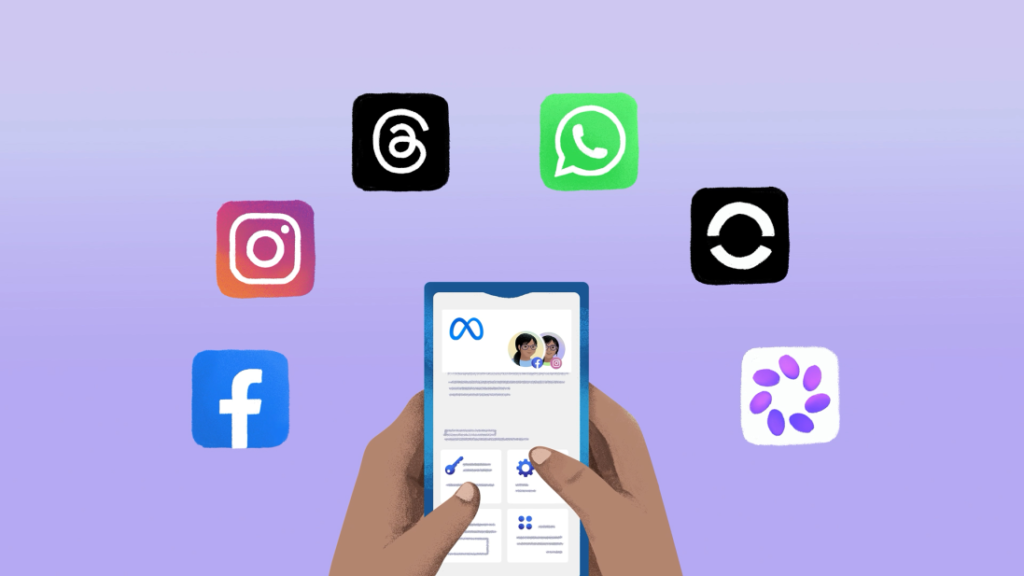
Meta Account Explained: The New, Simpler Way to Manage Facebook, Instagram, and More
Meta is rolling out a major update that will affect pretty much everyone who uses its growing list of apps and devices. The company has officially introduced the improved Meta Account, a centralized way to sign in, manage, and control everything from Facebook and Instagram to Meta AI and AI glasses. If you’ve ever felt overwhelmed juggling multiple Meta logins and settings, this change is aimed squarely at making your life easier.
Here’s a clear breakdown of what the new Meta Account actually does, how it affects you, and why it could be a welcome improvement for anyone using Meta’s ever-expanding ecosystem.
Why Meta Is Making This Change
Over the past several years, Meta has grown far beyond just Facebook and Instagram. Its portfolio now includes Threads, Meta AI, AI glasses, Messenger, WhatsApp, Meta Quest headsets, and more. With so many ways to connect, create, and communicate, the experience of managing all those accounts has gotten more complicated than it needs to be.
The new Meta Account is built to fix that. It takes the foundation of the existing Accounts Center and expands it into a full-fledged hub that centralizes everything you need to manage your Meta apps and devices in one place.
What Is Meta Account?
At its core, Meta Account is a simpler, more streamlined way to:
- Sign in to Meta’s apps and devices with fewer passwords
- Manage key personal settings in one central location
- Keep your information protected with enhanced security features
- Handle ad preferences, account details, and more without bouncing between apps
Think of it like a unified control panel for your entire Meta experience. Instead of logging into each app separately and hunting for settings, the Meta Account makes everything easier to find and manage.
What’s Changing, and What’s Staying the Same
Meta has been clear that this isn’t a dramatic shift in how you use its apps. Most of your day-to-day experiences will feel exactly the same. The big changes are happening behind the scenes to simplify logins and security.
Here’s a quick overview of what you can expect:
- Your existing Accounts Center will gradually update to a Meta Account over the next year
- All your current apps and devices will automatically appear in your Meta Account
- Using Facebook, Instagram, Messenger, and Threads won’t change in any noticeable way
- WhatsApp remains optional and can be added or removed at your discretion
- Your messages and calls on WhatsApp remain private and end-to-end encrypted
If you already have a Meta Account for your Meta Quest or AI glasses, this isn’t a new system, it’s just an expanded version that now works across more Meta products.
Easy Logins With Unified Access
One of the biggest headaches with using multiple apps is remembering and managing multiple logins. Meta Account aims to simplify that by offering a unified login experience. You’ll have the option to set up a single password that works across all your Meta apps and devices, meaning fewer passwords to remember and less time wasted on login screens.
Additionally, when you download a new Meta app or set up a new device, your Meta Account allows you to get started quickly without creating a brand new account and profile from scratch. That’s especially handy for anyone who’s ever struggled to keep their logins consistent across platforms.
Boosted Security Features
Meta is also using this update as an opportunity to strengthen account security across the board. Security has become a major concern for users of all social and online platforms, and the new Meta Account comes with several built-in protections designed to keep your information safer without you having to lift a finger.
Here are some of the key security enhancements included:
- Passkeys: A more secure alternative to traditional passwords, allowing you to log in using fingerprint, face recognition, or your device password. Meta Account passkeys now work on Instagram, in addition to Facebook and Messenger, with more apps on the way. WhatsApp manages its passkeys independently.
- 24/7 threat protection: Meta’s account security systems run around the clock to detect suspicious activity and prevent unauthorized access.
- Personalized security recommendations: The Security Checkup feature has been streamlined inside Meta Account, helping you stay on top of multi-factor authentication, login alerts, and other protective tools across your Meta technologies.
These security upgrades are especially welcome at a time when phishing attacks, credential leaks, and unauthorized access attempts are on the rise everywhere.
Centralized Settings Without Losing App-Level Customization
One of the smartest parts of this rollout is how Meta has handled the balance between central control and app-specific customization. Universal settings, like your password, two-factor authentication, and primary email address, can now be managed centrally through your Meta Account. These are the kinds of things that shouldn’t change app to app, so there’s no reason to handle them separately.
However, app-specific settings remain inside each individual app. For example:
- Who can see your Facebook posts is still managed on Facebook
- Whether someone can tag you in a photo on Instagram is still controlled on Instagram
- Messenger privacy settings stay within Messenger
- Custom preferences for Meta Quest or AI glasses stay tied to those devices
This approach means you get the convenience of a single dashboard for global settings without losing the ability to tweak the details that make each app feel personal.
Parents Will Love This Update
One particularly useful change involves family management. For parents with teens on Meta’s platforms, Meta Account brings a much cleaner way to oversee supervised accounts. Through the Family Center, which lives inside Meta Account, parents can manage settings for teens’ Instagram, Facebook, Messenger, and Meta Horizon accounts from one single, simplified dashboard.
That’s a significant improvement over the previous setup, which often required parents to switch between multiple apps to manage each one. Meta has also said it will continue improving its supervision tools over time to make life easier for busy parents.
What About WhatsApp?
WhatsApp remains a bit of a special case in all this. If you previously added WhatsApp to your Accounts Center, it will carry over to your Meta Account. You can also remove it whenever you want. If you haven’t added WhatsApp, it stays entirely separate, and you can continue managing it exactly as you do today.
Your WhatsApp messages and calls remain private and end-to-end encrypted regardless. The company has been firm that nothing changes about the way WhatsApp’s messaging privacy works, which is welcome news for longtime WhatsApp users.
You Don’t Have to Combine Everything
Another important point Meta has made clear is that Meta Account is flexible. You don’t have to merge every single Meta app or device into a single account if you don’t want to. For example, you can have one Meta Account for Facebook and a completely separate one for Instagram. You can also keep WhatsApp entirely out of the mix.
This flexibility is a nice touch, especially for users who keep different aspects of their digital lives deliberately separated.
Answers to Common Questions
Here are a few quick answers to the questions most people are asking about the Meta Account update:
- Will my day-to-day experience change? Not really. You’ll notice a smoother login process and easier settings management, but using the apps themselves stays the same.
- What apps and devices are supported? Facebook, Instagram, Messenger, Threads, Meta AI, AI glasses, and Meta Quest are all supported. WhatsApp can be added optionally.
- Is my information safe? Yes. Meta Account uses passkeys, proactive threat detection, and personalized Security Checkup tools to keep your account protected.
- Do I have to combine everything? No. You can keep different apps under different Meta Accounts if you prefer.
- Is this the same as my existing Meta Account for Meta Quest or AI glasses? Yes, but it’s now expanded to work across more apps and devices.
What This Signals for the Future
The launch of the new Meta Account reflects a bigger trend in the tech world: users want less friction and more control. With the rise of smart glasses, virtual reality headsets, AI assistants, and an ever-expanding ecosystem of connected devices, centralized account management is becoming a must-have rather than a nice-to-have.
For Meta, this is also a strategic move. By creating one unified hub for all their products, they’re making it easier to introduce new apps and devices without forcing users through complicated setup processes. The Meta Account essentially becomes your passport to everything Meta offers, now and in the future.
Some Things to Keep in Mind
As with any big platform-wide change, there are a few things to stay aware of:
- The rollout is gradual, so it may take time for the update to reach your account
- Security recommendations are only effective if you act on them, so don’t ignore the prompts
- App-specific settings still require individual attention, especially when it comes to privacy
- Parents should take full advantage of the Family Center, which becomes much more useful with this update
- If you use multiple Meta Accounts, keep track of which apps are tied to which account to avoid login confusion
A Step Toward a More Connected Digital Life
The introduction of the Meta Account is ultimately about making modern digital life a little less overwhelming. With so many apps, devices, and services competing for our attention, anything that simplifies the experience is a welcome improvement. Whether you’re a casual Instagram user, a daily WhatsApp chatter, a Quest headset gamer, or an early adopter of AI glasses, having one central place to manage logins, settings, and security is a real quality-of-life upgrade.
Final Thoughts
Meta’s push to simplify how users manage their apps and devices is a meaningful step forward. The updated Meta Account combines convenience with stronger security, giving users more control without requiring extra effort. For families, the improved Family Center is another big plus. For everyday users, the promise of fewer logins and easier settings management will save time and reduce frustration.
As Meta continues to grow its ecosystem, expect the Meta Account to evolve along with it, adding more features and supporting more products over time. For now, the message is clear: managing your Meta experience just got a whole lot simpler, and a whole lot safer.
So the next time you sign into Facebook, Instagram, Threads, or even your AI glasses, you can appreciate just how much is happening behind the scenes to make things easier for you.