



















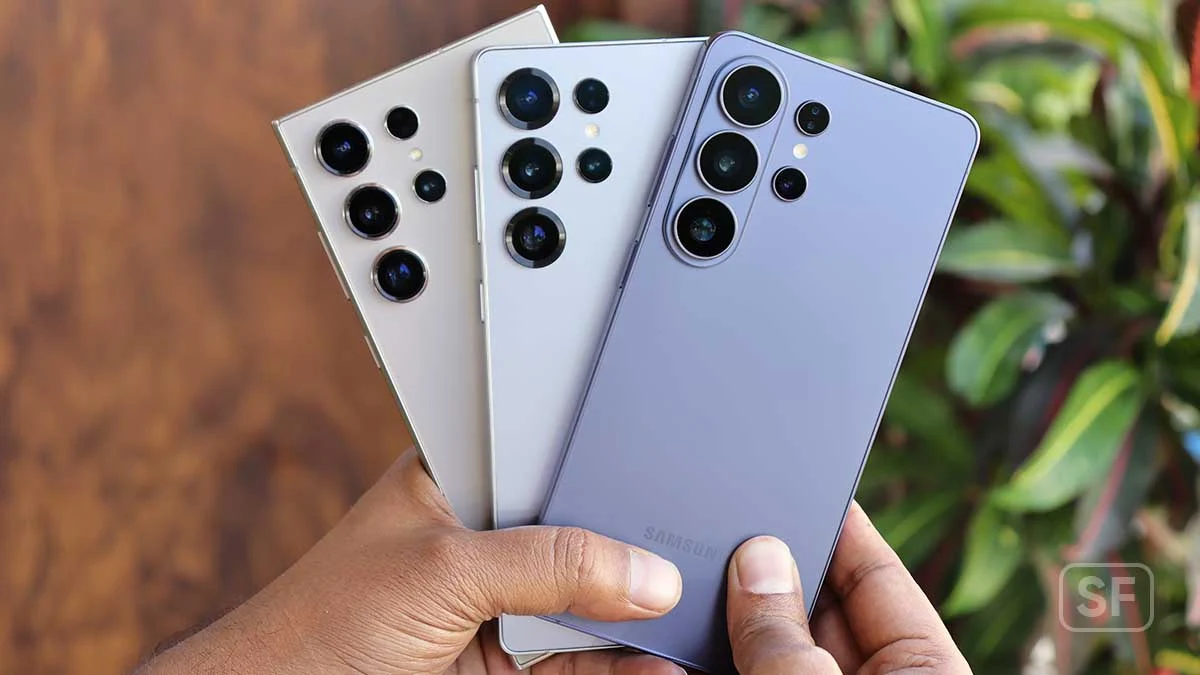
Galaxy S25 S24 Battery Drain: Samsung’s Latest Update Sparks Frustration Among Users
Galaxy S25 S24 battery drain has become the latest headache for Samsung smartphone owners, and frustration is mounting fast. What was supposed to be a routine April 2026 security update has instead triggered widespread complaints about rapidly depleting batteries, unexpected overheating, and charging anomalies. The timing couldn’t be worse for Samsung, coming on the heels of recent Galaxy Watch issues that already had the company on the defensive.
For owners of these flagship devices, the problems are real and affecting daily usability. Phones that previously lasted through full days of normal use are suddenly dying within hours, even from substantial battery levels. Here’s what’s happening, what users are reporting, and what you can do if you’re affected.
The Problem Spreads From Korea Outward
Reports of battery issues began surfacing in the days following the rollout of Samsung’s April 2026 security patch to the Galaxy S25 lineup in early April. The complaints first appeared in South Korea, where Samsung’s flagship phones typically receive updates first. As the update reached users in other regions, similar complaints quickly followed.
The pattern of complaints is remarkably consistent across affected users. Devices that previously lasted a full day on a single charge are now dropping from 70 percent or even 90 percent battery life down to zero within just a few hours. This isn’t normal battery degradation or heavy use scenarios — these are dramatic drops happening during ordinary daily activities.
For users who depend on their phones throughout the day, this kind of rapid battery depletion can significantly disrupt routines. Suddenly, what was a reliable device becomes one that needs constant access to charging, fundamentally changing how the phone can be used.
More Than Just Battery Drain
The issues extend beyond pure battery consumption. Users have also been reporting elevated device temperatures during regular use. We’re not talking about heavy gaming sessions or extended camera use — these temperature increases are happening during ordinary tasks like browsing, messaging, and basic app usage.
Excessive heat is concerning for several reasons. First, hot phones are uncomfortable to hold, especially during phone calls. Second, sustained high temperatures can accelerate battery degradation over time, potentially shortening the lifespan of an expensive device. Third, overheating can affect performance as devices throttle their processors to manage thermal output.
Some users are also encountering charging irregularities. In some cases, phones charge unusually slowly compared to their normal speeds. In other cases, devices heat up while plugged in, creating concern about both safety and the long-term health of the battery.
Samsung’s Silence
As of now, Samsung has not provided an official explanation for what’s happening. This silence has left users piecing together their own theories about what might be causing the problems. While individual users can experiment and share findings, the lack of guidance from Samsung makes it harder to address the issues systematically.
This isn’t unusual for Samsung when problems first emerge. The company typically prefers to investigate thoroughly before making public statements about software issues. However, the speed at which complaints are spreading and the severity of the impact suggest that some kind of response will be necessary sooner rather than later.
For users dealing with the issues right now, the silence is frustrating. They’re not sure whether to wait for an official fix, attempt their own troubleshooting, or potentially even roll back updates if possible.
The Two Main Suspects
Through user investigation and crowdsourced troubleshooting, two potential culprits have emerged as the most likely causes of the battery drain issues.
The first suspect is Knox Matrix, Samsung’s enterprise security framework. The April update quietly modified Knox Matrix, and some users believe these changes are triggering excessive background activity. The theory suggests that cross-device syncing or security checks are running more aggressively than before, consuming substantial battery power without providing visible benefits to users.
Knox Matrix is designed to provide enterprise-grade security across Samsung devices, particularly for users who manage multiple connected products. While its functions are valuable, any changes that cause it to consume disproportionate resources can have significant impacts on battery life.
The second suspect is Mobile Services, Samsung’s collection of system apps that handle various background functions. Users have tracked unusually high data usage from these system apps following the update, suggesting that something is constantly communicating with Samsung’s servers. This kind of persistent network activity can drain batteries quickly, especially on cellular connections.
If the Mobile Services theory is correct, it would explain why users are experiencing both battery drain and elevated temperatures. Constant network communication keeps the cellular or Wi-Fi radios active, which both consumes battery and generates heat.
Troubleshooting Attempts
Affected users have tried various troubleshooting steps with mixed success. Some of the most common approaches include:
Booting into Safe Mode has provided temporary relief for some users. Safe Mode disables third-party apps and runs the device with only essential system services, which can help isolate whether the problem is system-level or app-related.
Clearing the cache partition is another common troubleshooting step. This removes temporary files that might have become corrupted during the update process, potentially resolving issues caused by data conflicts.
Enabling battery saver mode reduces background activity and can extend battery life, even though it doesn’t address the underlying cause. For users who need their phones to last longer until a fix is available, this is a practical workaround.
Rolling back updates or disabling certain services has helped some users, though this approach requires technical knowledge and isn’t always possible depending on how the update was deployed.
The mixed results from these troubleshooting steps suggest that the underlying problem may be complex or may affect different devices in slightly different ways. Some users report immediate relief from certain steps, while others see no change despite trying everything.
The Safe Mode Pattern
One particularly interesting pattern that has emerged is that Safe Mode often provides temporary relief, but the problem typically returns once users go back to normal operation. This pattern suggests that the issue is software-related rather than hardware-related, and likely tied to specific system services that get activated outside of Safe Mode.
For affected users, this pattern offers both hope and frustration. The hope comes from knowing that the device hardware is fundamentally fine and that the issue can be addressed through software fixes. The frustration comes from the temporary nature of the relief — users can’t simply run their phones in Safe Mode permanently because that disables most of the apps and features they actually use.
What Users Should Do
If you’re experiencing these issues on your Galaxy S25 or S24 device, several steps can help manage the problem while waiting for an official fix.
Monitor your battery usage carefully through the device’s settings to identify which apps or services are consuming the most power. This information can help you make informed decisions about which apps to use and which to limit.
Try the troubleshooting steps that other users have reported some success with, including booting into Safe Mode temporarily, clearing the cache partition, and using battery saver mode during critical periods.
Keep your device updated as Samsung releases follow-up patches. Software issues like this typically receive fixes once the company identifies the root cause, and these fixes are usually rolled out through standard update channels.
Avoid heavy use scenarios that might exacerbate the heating issues, particularly while charging. Until the underlying issue is resolved, giving your device time to rest and cool down can help prevent additional stress.
Document your specific issues and consider reporting them through official Samsung channels. While it can feel like complaints disappear into the void, large numbers of similar reports can help Samsung prioritize fixes.
The Pattern of Modern Software Issues
This situation reflects a broader pattern in modern smartphone software. As phones have become increasingly complex, with multiple security frameworks, cloud services, and background processes all interacting, the potential for unexpected interactions has grown substantially.
What makes these issues particularly tricky is that they often only manifest after updates roll out to large numbers of devices in real-world conditions. Internal testing can catch many problems, but the variety of usage patterns, app combinations, and network conditions in actual deployment can reveal issues that didn’t appear in testing.
For Samsung specifically, the company manages an extraordinarily complex software ecosystem spanning multiple device categories, regions, and use cases. Coordinating updates across this ecosystem while avoiding unintended consequences is genuinely difficult, even for a company with Samsung’s resources and expertise.
The Cumulative Effect of Issues
This battery drain situation comes at a particularly bad time for Samsung’s reputation in the software stability department. The company is still dealing with fallout from recent issues affecting the Galaxy Watch lineup, which had its own share of update-related problems.
Cumulative issues like these can erode user confidence over time. Customers expect that flagship devices costing hundreds or thousands of dollars will work reliably, and recurring software problems can lead them to consider alternatives. While Samsung remains a market leader in Android smartphones, sustained software stability issues could affect future purchasing decisions.
For Samsung, addressing this situation quickly and thoroughly will be important for maintaining customer trust. Beyond just fixing the immediate problem, the company will need to demonstrate that it’s investing in better quality assurance to prevent similar issues in the future.
The Communication Challenge
Beyond the technical fixes, Samsung faces a communication challenge in how it handles these situations. Users want to know what’s happening, what’s being done about it, and when they can expect resolution. Silence can lead to speculation, frustration, and damage to brand reputation.
Tech companies generally face tradeoffs in how they communicate about software issues. Speaking too quickly can lead to incomplete or incorrect information. Speaking too slowly can leave users in the dark. Finding the right balance is genuinely difficult, but greater transparency typically serves customers better even when complete answers aren’t yet available.
For users dealing with the current battery drain issues, a simple acknowledgment from Samsung that the company is investigating and working on a fix would go a long way toward managing frustration. Even without specific technical details or timelines, knowing that the issue is recognized and being addressed makes a difference.
Looking Ahead
A follow-up patch from Samsung seems virtually certain at this point. The question is when it will arrive and whether it will fully address the various issues users are experiencing. Based on past patterns, Samsung typically responds to widespread issues within weeks rather than months, but the exact timeline depends on identifying the root cause and developing a comprehensive fix.
In the meantime, affected users will need to manage as best they can with the troubleshooting steps available. The good news is that hardware-level damage from these software issues is unlikely, so users shouldn’t worry about long-term consequences from continuing to use their devices while waiting for a fix.
For users considering whether to install the April 2026 update on devices that haven’t received it yet, the decision is genuinely complex. Skipping security updates carries its own risks, particularly regarding vulnerabilities that the patches address. However, installing updates that may cause significant usability issues is also problematic.
This kind of dilemma highlights the importance of comprehensive testing before updates reach broad user bases. While Samsung has substantial testing infrastructure, situations like this demonstrate that even extensive testing can miss issues that emerge in real-world use.
The Broader Question of Update Quality
The recurring nature of update-related problems across the smartphone industry raises broader questions about how software updates are developed and deployed. Modern phones receive constant updates for security, features, and performance, but each update introduces potential for new problems.
Some users have begun questioning whether the pace of updates has become unsustainable, with manufacturers pushing too many changes too quickly. Others argue that the alternative — leaving security vulnerabilities unpatched — is worse than the occasional update issue.
This tension doesn’t have an easy resolution. Security threats are real and require ongoing patches. New features are valued by many users and represent ongoing value from device ownership. But each change creates potential for unintended consequences, and the cumulative effect can affect user experience.
Final Thoughts
The Galaxy S25 S24 battery drain situation following Samsung’s April 2026 update represents a significant disappointment for users of these flagship devices. Phones that should be performing reliably are instead struggling to make it through the day, creating real disruption in users’ daily lives.
The probable culprits — Knox Matrix and Mobile Services — point to deeper issues with how Samsung’s security and system services interact with battery management. Whatever the exact technical cause, users need a fix and they need it soon.
For now, affected users have limited options. Try the troubleshooting steps that have helped others. Monitor your battery usage carefully. Consider workarounds like battery saver mode for critical situations. And keep an eye out for follow-up updates from Samsung that may resolve the issues.
The longer this situation drags on without resolution, the more it will affect Samsung’s reputation. The company has built tremendous goodwill among its customer base through years of compelling devices and generally solid software support. Maintaining that goodwill requires responding effectively to issues like this one and learning from the experience to prevent similar problems in the future.
For Galaxy device owners, the hope is that Samsung will address these issues quickly and thoroughly. In the meantime, patience and creative troubleshooting are the order of the day. Hopefully by the time the next major update rolls around, the lessons from this situation will have been learned and applied, leading to a smoother experience for everyone involved.